• You don’t need to be in school to learn a few tricks. Employees play a huge part in the success of your business. Retaining and developing a good group of employees can set your business up for bigger things in the future, especially when you consider that replacing an employee can cost up to 50 percent of that employee’s salary.

    Employee training and performance management are key HR functions that can help you shape your employees into an even more successful group. Here are some back-to-school tips to help you make sure that your business is on the right path when it comes to training and performance management.

    A small business owner going through a performance management review with a happy employee.

    [more] 

    Employee Training Tips

    Plan Ahead

    Whether you just hired a new employee or are preparing to conduct ongoing employee training, it’s good to make a list of everything that employees should learn. This can serve as a checklist to guide you and your employees through the training process. 

    Start your list off with simple items or information. For example, a training list for a new employee could kick off with introductory information like where to park, a tour of the workplace, and an introduction to their workspace. As your employees progress through training, the list items can gradually cover more complex information and education. You can also modify this list as you progress through training to account for any knowledge or skill gaps you discover.

    Have Employees Get Involved

    More than one person can assist with training. In fact, it can be good to have various members of your business train employees on other facets of the business if they’re an expert in a certain area. Not only does this help spread the responsibility of training employees, it can also empower your employees to take a more active role in improving your company.

    Another way to have existing employees train newer or younger people at your company is to start a mentoring program. Experienced mentors can help teach other employees things that they normally wouldn’t pick up in manuals, training videos, or other traditional methods. Also, these relationships can help inspire employees to stay with a company, especially for millennials. According to Forbes, “millennials planning to stay with their employer for more than five years are twice as likely to have a mentor (68 percent) than not (32 percent).”

    Train Employees Regularly

    A single day isn’t nearly enough to truly prepare an employee for a job. Training is an ongoing process that shouldn’t be contained to the beginning of an employee’s tenure at a company. 

    Regular training updates can help make sure that employees are on the top of their games and keep them interested and motivated. Continuous professional development can include regular training sessions, all-staff meetings, or outside events like conferences that can help employees maintain skills and knowledge long after their initial onboarding process.

    Performance Management

    Set Realistic Goals

    It’s hard to evaluate an employee’s performance if you don’t set goals for them first. However, an unattainable goal won’t do anything to help motivate employees. Sure, tripling sales numbers for a quarter would be great, but it’s not a good guideline for growth if it’s something an employee has no chance of completing. Instead, base employee goals on the SMART framework:

    • Specific – Clear and relevant to an employee’s duties
    • Measurable – Able to be tracked to determine success
    • Achievable – Reasonable, but still difficult to push employee toward growth
    • Relevant – Worthwhile for both the company and employee
    • Time-based – Has a target date for completion and review

    It’s also important to include your employees when it’s time to set goals. If you dictate goals to employees, they won’t be as likely to take them to heart. Giving them some say in what they want to achieve allows employees to own their goals and give them a milestone to work toward in the future.

    Communicate

    Setting and reviewing goals shouldn’t be the only time you check in on employees about their performance. Annual reviews provide a good opportunity to discuss overall growth or review goals, but it’s also good to regularly talk with employees about their performance.

    A great way to motivate employees is to build relationships with them. Establishing regular face-to-face communication and making yourself available can help employees open up about their thoughts, suggestions, and complaints.

    In turn, random check-ins with an employee about how he or she is performing should feel less like a pop quiz and more like a natural work conversation. The information you gather from these talks can be extremely helpful toward making meaningful changes that can help both you and your employees make strides to change your company for the better.

    Give Them Rewards They Want

    A big part of performance management is making sure that talented employees feel properly rewarded for their hard work. Rewarding employees can benefit business in two impactful ways. First, it can help you save money, as disengaged, disinterested employees led to a loss of up to $550 billion per year for U.S. businesses, according to Entrepreneur. Second, talented employees who don’t feel adequately rewarded are more likely to try and find a job somewhere that will recognize their efforts.

    The types of rewards you should use depend on your employees. Financial incentives are an obvious go-to option. However, some of the more impactful rewards are those personalized to fit an individual.

    For example, if an employee has children and has to manage dropping kids off at school or daycare, offering them the ability to work from home or shift their hours to be more flexible shows you care while giving them something they want. Other employees may desire chances to advance in the workplace, so rewarding them with the ability to attend conferences or other career development events helps them reach their personal goals. 

    These rewards also don’t have to be grand gestures. Small, affordable rewards like open recognition in the office or gift cards are small rewards that can help employees feel validated by the work they did.

    Invest in Training and Performance Management

    The ongoing development of your employees is important, but it’s also yet another responsibility that’s on your plate. Fortunately, you can still invest in the growth of your employees and business without the time commitment. 

    GMS can help take on the administrative burden of training, performance management, and other HR functions so you can spend your time building relationships with your team growing your business in other ways. Contact GMS today to talk to one of our experts about how we can help you strengthen your business today.

  • As a small business owner, it’s important to try to prepare for anything—even Mother Nature. In Florida, that means doing what you can to make sure your business and your employees are as ready as possible for hurricanes, named storms, and other events that can cause serious problems.

    Hurricane season is a stressful time that requires plenty of preparation and employee management to help weather any issues. Here are some tips that you can use to help you and your employees navigate any potential problems before, during, and after a storm.

    A hurricane approaching Florida, causing small business owners to prepare for the storm.

    Train Your Employees Ahead of Time

    Good employees play a major role in the success of your business, but sometimes they don’t always look out for themselves. The best time to prepare for a natural disaster is long before one arrives, so it’s smart to include hurricane education as part of a regular training program, especially if you have a lot of transient workers who never experienced a storm before.

    People move to Florida all the time. According to the U.S. Census Bureau, nearly 330,000 moved to the Sunshine State from 2016 to 2017, which is an average of nearly 900 people per day. That means a lot of workers in the state have never been through a bad storm before. A hurricane education session can help them know what they should always have available, including:

    • Battery operated TV and fans
    • Generator
    • Second refrigerator just to store water (will keep somewhat cool even after power is out)
    • Nonperishable canned goods

    While basic hurricane preparation education and supplies are good, you can go the next step and see if an expert would be willing to help. Local meteorologists are a great resource for hurricane training, whether they give you some helpful advice or are willing to visit your business to talk to your employees. It never hurts to ask.

    The frequency of the training depends on the makeup of your business. If you have a small workforce and little turnover, training can be more infrequent. If you’re in a high turnover business or have a larger staff, yearly training sessions can be a good idea. It’s also important to stress to your employees that they may want to consider leaving the area depending on the storm. Sometimes the best plan of action is to be nowhere near the hurricane when it hits.

    Close the Office When Necessary

    In general, the decision to close the office due to an incoming storm is up to you. OSHA does stipulate in its general duty clause, that all places of employment are “free from recognized hazards that are causing or are likely to cause death or serious physical harm to his employees.” Essentially, if the storm makes your workplace a dangerous location, it’s time to shut down and evacuate.

    Another reason to play it safe and close your business if the weather is questionable is to avoid any potential liability issues. While the commute to and from your office is outside of your workplace, there is a grey area in terms of whether you’re on the hook if the impending or active storm causes an employee to get hurt or have an accident. A court may rule in your favor, but you may not want to take that risk when you can simply play it safe and close your office.

    Handle Wages with Care

    If you decide to close your business, your employees may still expect to be paid. According to the Society for Human Resource Management (SHRM), what they’re owed and if you need to pay them at all can depend on the type of employee:

    • Nonexempt employees are only owed for the hours they’ve worked according to the Fair Labor Standards Act (FLSA). This means that you do not owe them any money when you close your business.
    • Exempt employees are owed their full salary if the weather forces the office to close for less than a full workweek. However, you may require these employees to take paid time off (PTO) during these days.

    While the FLSA outlines your minimum requirements, that doesn’t mean that you should follow these guidelines. Forcing an employee to take PTO sends a message that you see the hurricane as their vacation, which will rub even the most loyal workers the wrong way. In addition, being left without a paycheck for something out of their control can create some discontent, even if the business isn’t able to generate any money during the closure either.

    One solution to this is to go above and beyond if possible. If you know what an employee typically makes during a week, find a compromise, whether it’s paying them in full or even offering a portion of their normal earnings. This can show them that you’re still trying to help during a difficult period. If you can’t make that kind of financial commitment or you need to make serious repairs to the business after the storm, explain the situation so that your employees understand instead of feeling blindsided by a lack of pay.

    Be Open and Accommodating About Leaves of Absence

    Even if you decide to keep your business open, there may be employees who want to stay home with their families. In this case, the Department of Labor allows you to consider such leave as an absence for personal reasons. As with wages, however, this can send a bad message to a good employee. Instead, it can be best to be flexible for employees who want to be at home to prepare for a storm, especially if they plan to head out of state.

    You can also offer some alternatives. For example, you can allow employees to work from home if possible. This will allow them to cut down on travel during a storm without sacrificing valuable work hours, at least until the power goes out.

    Employees may also be absent from work after a storm to attend to post-disaster needs, such as meeting with insurance adjusters. SHRM also notes that “employees affected by a natural disaster are entitled to leave under the FMLA [Family and Medical Leave Act] for a serious health condition caused by the disaster,” such as the need to care for a family member.

    If you want a more set structure in terms of how many days employees are allowed off for storms, you can include writing in your handbook or leave policies that sets out a specific process. The problem with this is that no hurricane is the same. One storm could last two days, while another could last 10. A set policy may pigeonhole you into an exact number of days if you’re not careful.

    Protect Important Documents

    Both you and your employees have important documents that must always stay safe. Unfortunately, hurricanes don’t cooperate. In Florida, it’s good to invest in document storage that can protect both business and personal documents from the elements, like a fireproof and waterproof safe.

    While a great start, a safe can’t protect your documents from a worst-case scenario. If a storm is projected to be bad enough to make you leave the area, make sure to take your documents with you so that the storm doesn’t take them away for good. Digitizing documents in a securely-stored online portal can also make sure that these files are safe from storms and accessible anyplace with an internet connection.

    Always Communicate

    Good communication is a key part of hurricane preparation. It’s important to keep in contact with your employees long before a storm hits, during the storm, and after it’s gone.

    While some employees will know the risks and protect themselves, others may not understand the danger of these storms or will be afraid to stay home out of fear of losing their job. Monitor the situation and make employees feel comfortable with their decision to stay or go if the coming storm looks dangerous. There are times where storms pass over and you don’t need to close, but it’s always good to err on the side of caution instead of being wrong about the weather.

    If you have any other questions about protecting your business before, during, and after a storm, it’s best to communicate with a trusted HR partner. GMS is a Professional Employer Organization that serves companies of all sizes across the nation. The experts in our Fort Myers, Florida branch can work with you to help you protect your business and manage key HR functions that complicate your day and bog down your schedule.

    Contact GMS today to talk to one of our experts in our Florida office about how we can help your business prepare for the future.

  • Cybersecurity threats are real for businesses across the country, but one state is making an effort to make its citizens more knowledgeable about these dangers. Georgia Attorney General Chris Carr announced the release of Cybersecurity in Georgia to inform business owners and other individuals about potential cyber threats and how they can reduce the likelihood of these attacks. 

    While the 24-page guide was aimed at business in Georgia, its message is relevant for businesses all across the country. Here’s a breakdown of what you can do to protect your business from cyber threats.

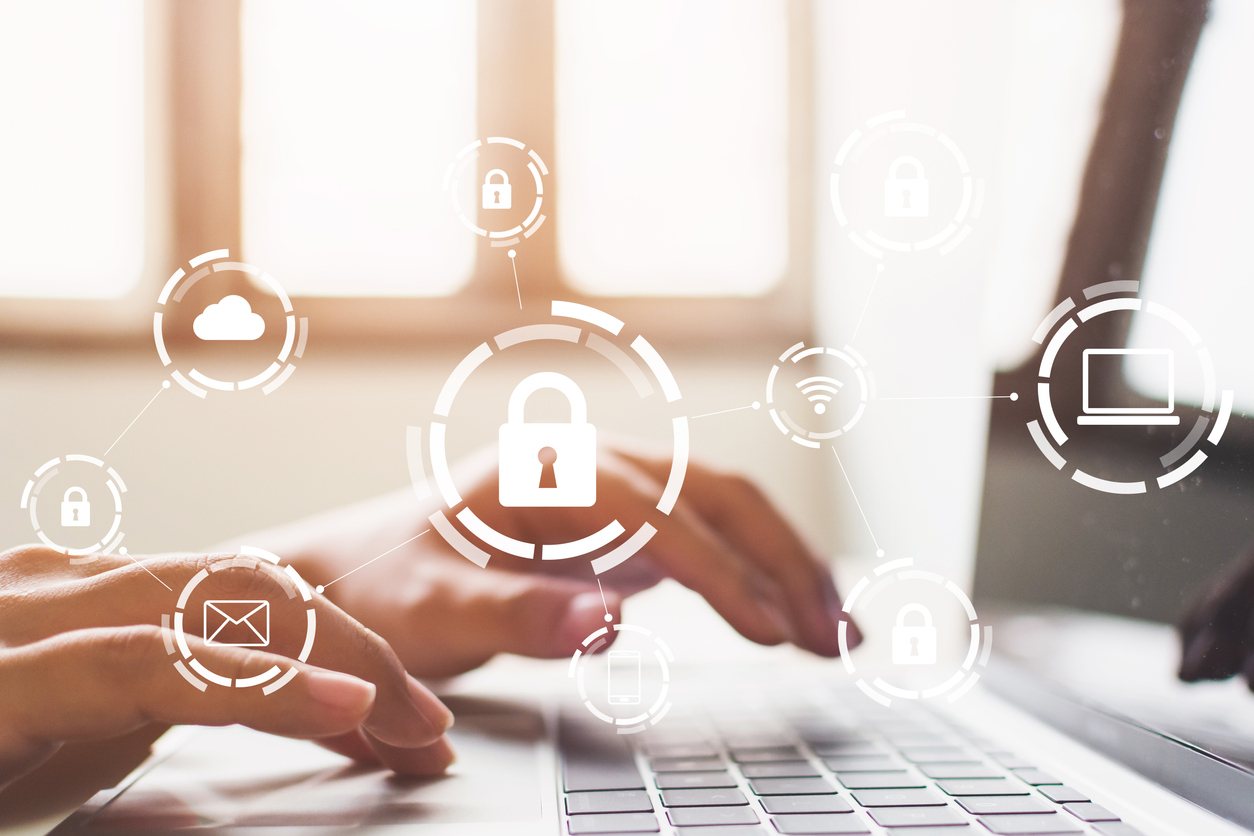
    A small business owner in Georgia using a smart phone and computer set up with proper cybersecurity practices. 

    The Dangers of Cyber Attacks

    Just how common are cyber attacks? According to Cybersecurity in Georgia, “67 percent of small and medium-sized businesses in the United States were the victims of a cyber attack in 2018.” These attacks come in a variety of forms, as any of the following intrusions can result in the loss of valuable data and sensitive information.

    • Data breaches
    • System hacking
    • Email phishing
    • Malware/Ransonmware
    • Distributed denial-of-service (DDoS) attacks
    • Keylogging
    • Tech support scams

    In addition to the attacks above, cyber intrusions can be made possible by internal issues as well. Whether your software is out of date or a user error led to a misconfigured server, there are several ways that intruders can compromise your cybersecurity if you don’t take action against these threats.

    What You Can Do to Improve Your Business’ Cybersecurity

    A potential breach can come in many forms, but there are steps you can take to limit or prevent their effects. Here are some measures you can take to improve your business’ cybersecurity.

    Take inventory of sensitive information

    Over time, your business collects a lot of sensitive information. This data can come in several forms – credit card information, Social Security numbers, home addresses, tax documents, etc. – and all of it is at risk of being lost or stolen during an attack.

    Before you can protect this information, you’ll need to recognize where it is. The first step toward securing your data involves identifying where any sensitive details are stored. Cybersecurity in Georgia suggests taking stock of the following sources of information.

    • Computer systems
    • Backup and storage systems
    • Websites
    • Laptops
    • Employees’ home PCs (if used for work purposes)
    • Cell phones and tablets
    • Flash drives
    • Paper files
    • Information shared with third-party vendors

    Once you’ve determined all the places you store sensitive information, you’ll want to evaluate how it’s being used and streamline the number of places this information is stored. It’s also good practice to clean out any old software, apps, file folders, and other sources of information if you can. If you find that you have sensitive data on file and don’t need it, it’s best to destroy that data in a secure manner instead of holding onto it. 

    Improve your safeguards to control access to data

    It’s absolutely critical to make sure your passwords are secure. The new cybersecurity guide suggests using passwords with “at least 12 characters that combine upper and lowercase letters, numbers, and symbols.” It’s also good to change these passwords at regular intervals. If you want to add another layer of security, certain logins will allow you to set up multi-factor authentication. This will send you a text, an email, or some other message with another password or code to help ensure that the person logging in is really with your company.

    There are also occasions where certain information is accessed via physical devices such as a workplace laptop, flash drives, or paper backup files. In this case, it’s important to lock up any of these items so that they can only be accessed by an approved member of your team both during and after business hours.

    Protect your network beyond passwords

    In addition to passwords, there are many other ways to protect your overall network. To start, every network should have a firewall, anti-virus software, anti-malware software, and a pop-up blocker. Any other software, systems, or other devices you use should stay up to date with any required updates and patches – old versions can lead to ways into your system for cyber attacks. You should also consider the following:

    • Encrypt any devices that contain sensitive information
    • Protect your wireless network by ensuring that your router offers WPA2 or WPA3 encryption to prevent outsiders from reading your information
    • Create means for remote access to your company’s network through a corporate VPN access or some other secure connection
    • Invest in email authentication technology to prevent scammers from using your domain name
    • Use an online payment provider that complies with Payments Card Industry Data Security Standards if you have an ecommerce site
    • Vet any vendors for security concerns if you share any sensitive data with them

    Review employee access

    Another important consideration you’ll want to make is who has access to your data. In general, some employees shouldn’t be privy to sensitive information. Restrict that access only to people who have a specific business need for it to help limit the number of people who may – knowingly or not – create a security threat. 

    There may also be occasions where someone may not need complete access. For example, someone may need access to customer emails, but not financial documents. Restrict access where appropriate so that your employees only deal with the data they need. Regardless of access level, you should also provide some degree of cybersecurity training. Cybersecurity in Georgia suggests regular education about the following issues.

    • Password safety procedures and tips
    • Suspicious emails
    • Software downloading procedures
    • Proper use of mobile devices and other items
    • Handling sensitive data (both electronically and physically)
    • Social media policies
    • Visitor guidelines
    • Reporting suspicious activity

    It’s also important to have a plan in place for when you hire new employees and terminate old ones. If a potential new employee will have any access to sensitive data, it’s important to conduct background checks and call references to identify if there are any past concerns or other issues that may make them unsuitable for that responsibility. As for departing personnel, make sure to remove login privileges and change any necessary passwords to prevent them from accessing data in the future.

    Plan ahead for potential breaches

    As Attorney General Carr said during the release of Cybersecurity in Georgia, “In today’s world, it is not if, but when, an attempt will occur.” At some point, there will likely be some form of cyber attack against your business. The advice listed above can help you limit the chances of a successful attack, but you should still have a plan ready just in case.

    A good response plan will give you a guide to help you following a breach. Swift action can help you limit any losses or damages and can help the investigation process. The U.S. Department of Justice’s Cybersecurity Unit provides a cyber incident preparation, response, and reporting guide that offers some best practices following an attack.

    • Appoint decision makers for different elements of your organization’s cyber incident response (public communications, law enforcement engagement, etc.)
    • List a means of contact for critical personnel for all times of day (and provide next steps if a decision maker is unavailable)
    • Create a prioritized list of data, networks, or other information and assets that demand special attention during an incident
    • Maintain a list of other parties – commercial data centers, etc. – who host affected data and how to contact them
    • Keep a timeline of when and how to restore back-up data
    • Determine the criteria that will determine if customers, vendors, and other entities need to be notified about an intrusion
    • Have a guide on when and how to notify any necessary law enforcement or other government agencies

    Consider cyber insurance

    A data breach can have a significant financial impact on a company. From the time spent dealing with an incident to the potential for a lawsuit from an affected customer, an intrusion can deal severe damage to the wellbeing of your business.

    While general liability insurance policies may cover tangible property, that may not include electronic data and other important digital information. Cyber insurance can help you protect your organization from some of the financial ramifications of a breach. If interested, Cybersecurity in Georgia suggests investing in a cyber insurance policy that covers the following acts.

    • Data breaches (such as incidents involving theft of personal information)
    • Cyber attacks (such as breaches of your network)
    • Cyber attacks on your data held by vendors and other third parties
    • Cyber attacks that occur anywhere in the world (not only in the United States)
    • Terrorist acts

    Protect Your Business from Potential Threats

    There are countless hazards associated with running a business, including cyber attacks. The time it takes to protect your business can be substantial, which means less available time in your schedule to try and grow your company. Fortunately, you don’t have to carry the burden of protecting your business alone.

    As a Professional Employer Organization, GMS has the experts and means available to help simplify your various administrative needs, including risk management. We can help you identify ways to protect your company while also offering services like payroll administration and other time-consuming tasks. 

    Ready to prepare your business for the future? Contact GMS today to talk to us about how we can help you protect your business through professional HR management.

  • When the COVID-19 pandemic hit, businesses of every size had to pivot to a work-from-home model for non-essential employees. While larger firms typically had some infrastructure in place to enable remote work, small businesses were left wondering exactly how to handle the situation.

    While cybersecurity has always been essential, the increasing number of remote employees has made it mission-critical for business of all sizes. Fortunately, there are steps every small business can take to step up its cybersecurity game. Regardless of how long remote work lasts, here are some tips that will help shore up any security protocol.

    A remote employee working from a laptop set up for cybersecurity threats.

    Set up VPNs Correctly

    Virtual Private Networks (VPNs) are internet tunnels that allow access into companies’ internal networks. While VPNs were initially intended for letting employees access company resources from any location, they are also a prime target for hackers. 

    A VPN is a standard measure for remote employees, but a hastily implemented network will pose problems. These VPNs are widely available, but you need to do more than download an app to truly secure your company’s data. You’ll want to identify a VPN with secure communication protocols that can keep you and your employees safe. While there are free VPN services out there, it’s best to find a safe, secure solution even if it’s an added cost. 

    Another key step is to make sure employee access is controlled – you don’t want one login to access the whole network. Configuring access on an application level means employees can get to files and web applications without allowing root-level access. If one connection is hacked, the hackers won’t get the keys to the entire kingdom.

    Set Password Policies

    Employees must also use a password to access the VPN, as well as many other company resources. Weak passwords are one of the biggest security threats to anyone connected to the internet. 

    While you can’t stop your employees from using their cat’s name as a password on their personal computers, you can set password policies on your company’s software and hardware. Those policies should require a minimum length, a combination of characters, and other requirements that create a harder-to-hack password. You should also require passwords to be changed at specified intervals. 

    Use Two-Factor Authentication

    Passwords – even strong passwords – aren’t necessarily good enough anymore. Two-factor authentication (2FA) is an extra precaution that can make a massive difference if somebody’s password is compromised. 

    2FA requires two different factors to allow access into a device or program. There are generally three factors recognized as authenticators – something you know (usually a password or PIN), something you have (a smartphone or key), and some form of identity confirmation (fingerprint or face ID).

    The most familiar form of “something you have” is the text message sent to your cell phone – but hackers can steal SIMs and easily gain access, so it’s not necessarily the best. More secure methods include authenticator apps and security keys. Finally, as more hardware devices come with biometric sensors built in, “something you are” fingerprint and face ID authentication are becoming more commonly used factors.  Regardless of the approach you use, 2FA adds another step that hackers must figure out in order to access your sensitive information.

    Keep Software and Systems Updated

    Out-of-date software is one of the biggest security threats to any company. The cyberthreat landscape is constantly evolving, and software manufacturers must continuously update their products to keep up with those threats. “Patches” are often issued to fix areas of vulnerabilities. Failure to apply these patches can be a massive issue for your company. 

    A notable example of this is 2017’s WannaCry ransomware attack. These cyber attacks resulted from hackers exploiting unpatched Microsoft systems. Although Microsoft had issued a patch just before the attack, many organizations had not applied it, leading to mass data breaches. Additionally, some of those systems attacked were using older systems that had passed end-of-life, meaning Microsoft was no longer issuing patches or updates for those systems. This is why it is essential that your organization keep up with any changes for your software and update it regularly.

    Educate Employees About Cyber Threats

    Hackers depend on non-tech-savvy users to welcome them into systems through phishing or social engineering schemes. The growing trend of remote employees has only made this more apparent, as hackers fed on the double-whammy of a remote workforce and a concerned population. 

    A joint alert from the U.S. Cybersecurity & Infrastructure Agency (CISA) and the U.K.’s National Cyber Security Centre warned of “a growing use of COVID-19-related themes by malicious cyber actors.” This included phishing and malware attempts such as emails with “coronavirus update” subject lines or SMS messages about COVID relief packages. These cyber attacks encouraged recipients to open a malicious file or visit a phishing site that asks for credit card numbers and other personal information.

    Social engineering is another scheme that has become more prevalent. This involves a technique in which a hacker manipulates a victim to get information about a company. In a high-profile example, hackers took over several celebrity Twitter accounts as a result of social engineering – hackers gained access to these accounts by manipulating Twitter employees for information. 

    While security audits, penetration testing, and other high-level security testing are important to ensure total security, small attacks can terrorize small business owners everywhere. Take some time to teach employees how to recognize phishing emails or social engineering attempts to protect your small business.

    Secure Home Offices

    When employees were safely on your company network and behind the firewall, some of their risky behaviors were slightly less threatening. Once they’re at home, your company is more reliant on their home Wi-Fi networks. 

    These networks can be incredibly insecure. Often, default passwords haven’t been changed – if there is one at all. Do a home audit of work-from-home staff to make sure they have configured settings on their home Wi-Fi correctly. This is perhaps the most basic security measure, but one of the most necessary.

    Protect Your Business from Remote Cyber Threats

    As companies like Google and Twitter set the stage for remote work to become permanent, many smaller companies will follow suit. If your business relies on remote employees, it’s essential to have a remote cybersecurity setup that will work for the long term. 

    Cybersecurity is just one of many responsibilities small business owners bear that can take time away from one key goal – to grow their business. Between security concerns to administrative efforts, it’s hard to focus on ways to build your business. Fortunately, you don’t have to carry the latter burden alone.

    As a Professional Employer Organization, GMS has the experts and means available to help simplify your various administrative needs. We can help you identify ways to protect your company while also managing payroll administration and other time-consuming tasks. Contact GMS today to talk to us about how we can help you protect your business through professional HR management.